DIY Birth Photography
DIY Birth Photography tips and tricks.
Since the first time I saw a beautiful black and white photo of a minutes old baby in her mother’s arms I fell in love with birth photography. Some of the most gorgeous photos I have ever seen are from some very skilled photographers documenting a little ones entrance into the world.
So when I found out I was pregnant with my first child I was adamant that I hire someone to be with us during delivery. I hired an amazingly talented woman and could not be more happy with that choice.
I wished that I could have hired her a second time, when I had my daughter, but after 12 long weeks on bed rest and hospital bills stacking up it wasn’t in the cards for us. The thought though, of having no photos of my sweet girl moments after arriving in the world made me sad.
You may be in the same position.

(affiliate links included)

DIY Birth Photography
In order to follow these tips I’ve listed here you will need a couple of things. First of all is a camera, as you probably know, but not any camera, you really need a DSLR. I have a Canon 60D and even though it comes with a hefty price tag, it will be working for you for years to come documenting all your babies milestones.
The lens that we used for these photos was a 50mm f/1.8.

Camera Settings
- The portrait setting will use the pop up flash and have horrible results, and the manual setting requires a lesson that you nor your spouse have the patience to sit through. So, you will go with AV mode.
- Set the aperture to 2.8 (small enough for some depth of field but large enough that you don’t have to be spot on in order for things to be in focus)
- The shutter speed will be automatically chosen since you are on AV mode, so no worries with that.
- ISO should be set pretty high so I would use 1600 or more.

What To Photograph
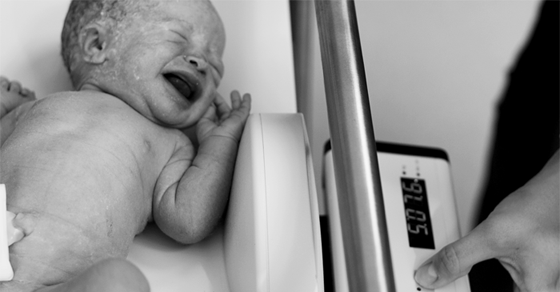
Things: Monitors, clock, signs, room numbers, IV/IV bags, etc.

Ease The Burden
- Remind him of the goal, which is to capture moments, not take magazine-worthy portraits. Nothing else matters but having lots of pictures of your precious new babe. Do not worry about the quality here.
- You’re can edit everything in the end, so things like lighting and color can be fixed later. Photoshop Elements is a great, inexpensive software that works amazing.

A Final Word
The motto for picture taking is this: You can delete what you don’t want, you can’t, however, go back and retake the picture. The moments pass quickly. Don’t worry about perfection.